


Discipline
UX Research & UI Design
Platform
Mobile
Timeline
Flow UW/UX Designathon, July 2025 · one day, 9 to 5
The Team
- Sumayyah Khalid
- Afeefa Malik
- Razan Mohamed
- Mona Eletr
My Role
A team of four, one day start to finish. I designed the prototype screens, helped with the research, and presented the onboarding and Explorer Kit sections to the judges.
01.Context
The prompt was about barriers in education. We went outside.
A one-day designathon on connection-centred design, and a question broad enough to go almost anywhere.
The brief asked how we might design exciting and inclusive learning experiences that reduce barriers for children in education. The theme was connection: solutions that help people build real relationships and share experiences rather than just consume something alone.
We had until 10:30 to lock an idea, slides due by 3:30, and presentations after that. Eight hours total.
02.Research
Canadian kids are barely going outside
We looked for the barrier with the most evidence behind it, and outdoor play turned out to be badly under-measured in the classroom conversation.
0%
of school-aged Canadian children play outside every day
0%
meet the recommended 60 to 120 minutes of daily physical activity
0 min
average daily outdoor play for students in grades 6 through 10
Source: Physical and Health Education Canada
The health research attached real consequences to that number: higher rates of obesity and type 2 diabetes, lower bone mineral density, and a documented rise in childhood anxiety and depression linked to spending life on a screen instead of in a three-dimensional world.
The barrier wasn't that kids can't learn. It's that the classroom asks them to learn sitting still, indoors, mostly through reading, and a lot of children are shut out by at least one of those three conditions.
03.Problem
Three kinds of kid, one shared exclusion
We wrote four personas. Three of them were locked out of the same lesson for completely different reasons.
Zara is nine, creative, and zones out during long classes. Linh is ten and recently arrived from Vietnam, so reading-heavy material leaves her behind before the lesson starts. Ayaan is eight and autistic, and a loud crowded classroom overwhelms him before he can focus on anything.
Different kids, same result. A desk-based, text-heavy, indoor lesson excludes all three. That framing is what pushed us outside rather than toward a better worksheet.
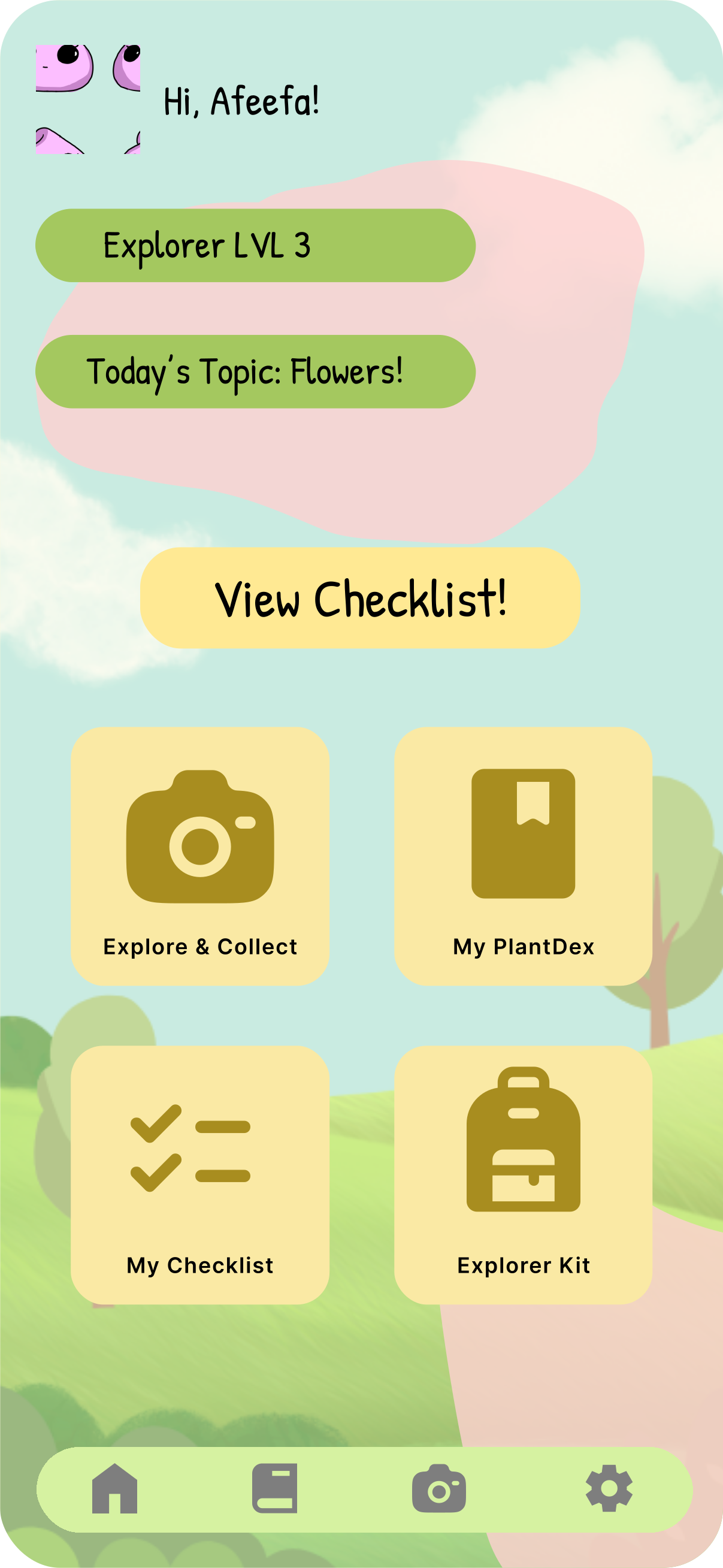
Icon-only tab bar so the app is navigable without reading
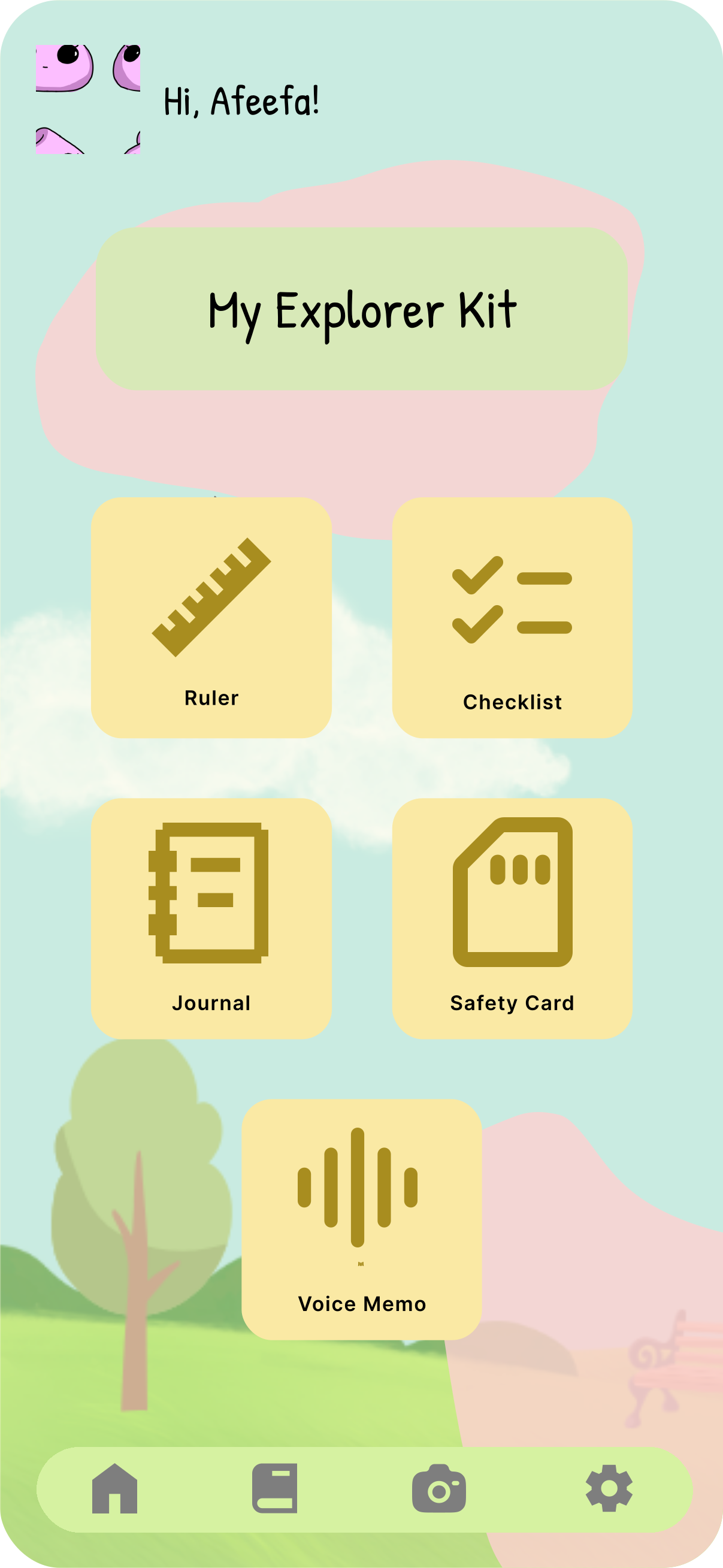
The Explorer Kit, including a voice memo for kids who'd rather talk than type
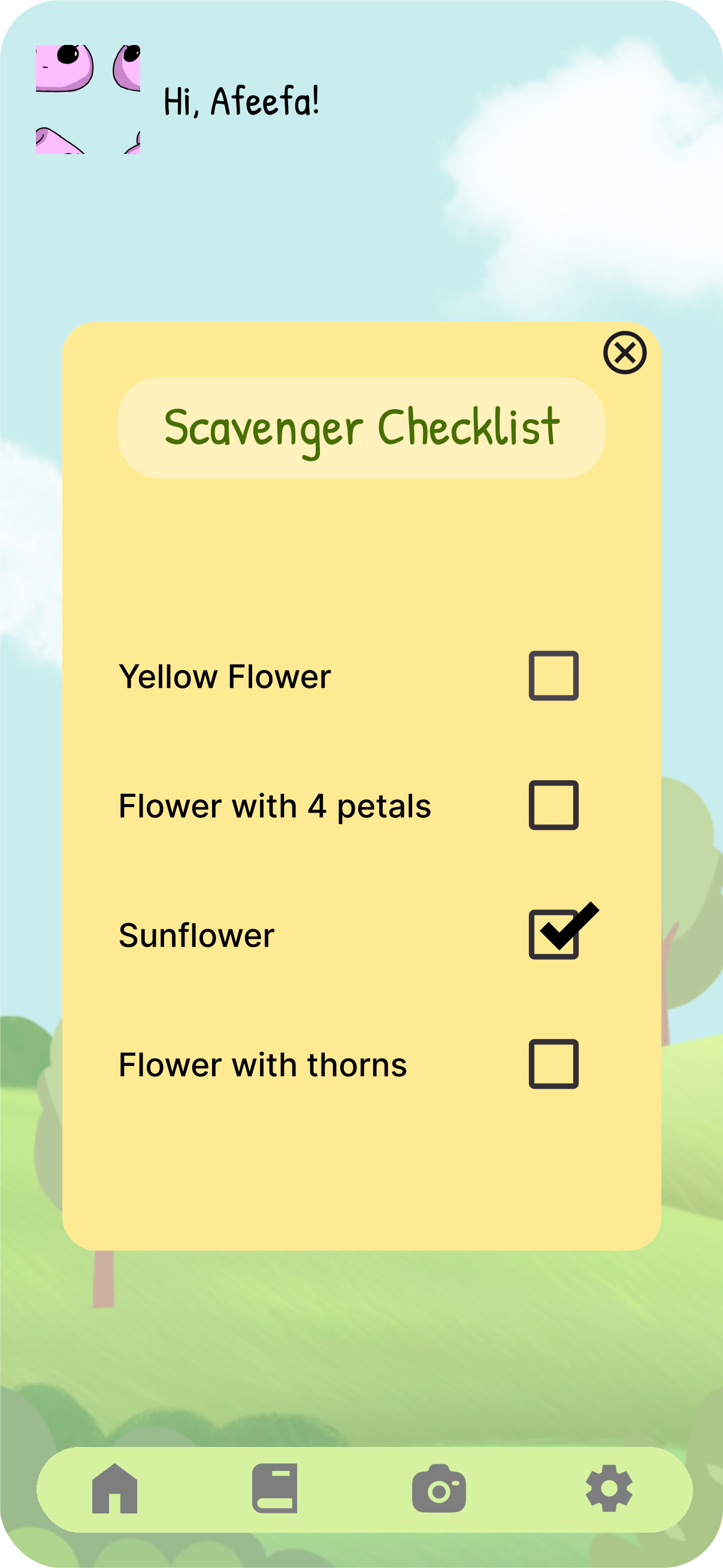
Prompts stay short and visual: a yellow flower, a flower with four petals
HOW MIGHT WE
04.Ideation
Six ideas that were all another screen
Everything we put on the board kept kids indoors looking at a device. The one we picked was the only one that didn't.
The board filled up with screens. A quiz app. An engaging learning platform. A game-based lesson tool. Something for overstimulation, something for classroom anxiety, a Minecraft world that prompts kids to build things. Six ideas, all of them another reason to look at a tablet.
Then someone wrote down "kids don't go outside," which was the only line on the board that pointed away from the screen. Given a brief about real connection, we took it.
The mechanic came together fast once we had that. A teacher sets a challenge for the day and can split the class into groups. A group finds something that matches, photographs it, and submits it through the app. They earn XP and badges for what they find. Every piece of that was on the whiteboard before 10:30, and the rest of the day was working out what it would take to make it safe.
05.Solution
A scavenger hunt that teaches while you play it
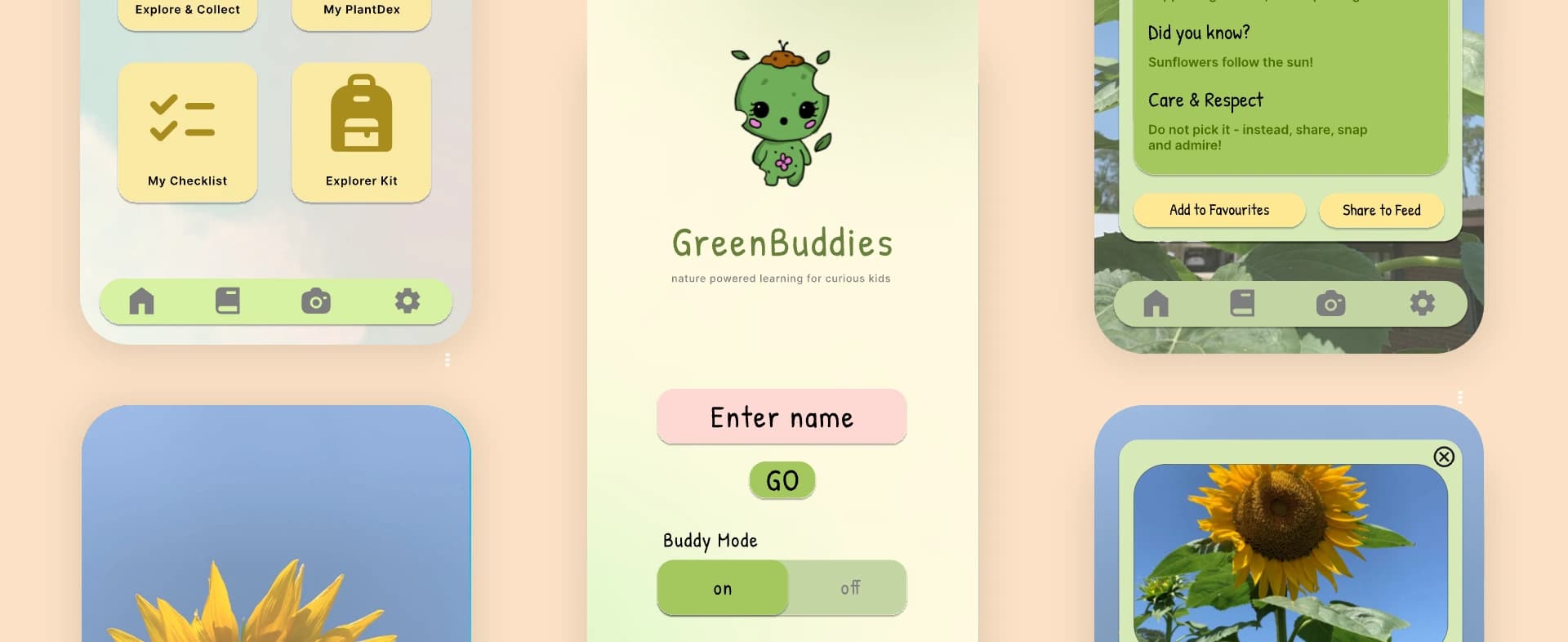
GreenBuddies turns outdoor time into a photo quest. Kids find things in nature, photograph them, and every accepted find becomes a learning card.
THE DAILY CHECKLIST
Teacher-ledTeachers set a theme, and the app generates prompts like “a yellow flower” or “a flower with four petals.” The task is specific enough to start without help and open enough to find a dozen ways to solve.
SNAP TO COLLECT
GameplaySpot something on the list, tap the camera, take the photo. Image recognition confirms the find, checks it off, and adds a point.
THE LEARNING CARD
LearningAn accepted photo opens a card: what the plant is, its role in the ecosystem, and a note on admiring it without disturbing it. The lesson arrives after the discovery, not before.
MY PLANTDEX AND THE EXPLORER KIT
CollectionFinds are saved to a personal collection kids can add drawings and voice notes to. The Explorer Kit is a digital backpack with a plant ruler, a voice recorder, and a safety card.
THE CLASSROOM FEED
SocialKids can share a find to their class feed and see what everyone else found. The connection piece: same walk, forty different discoveries.
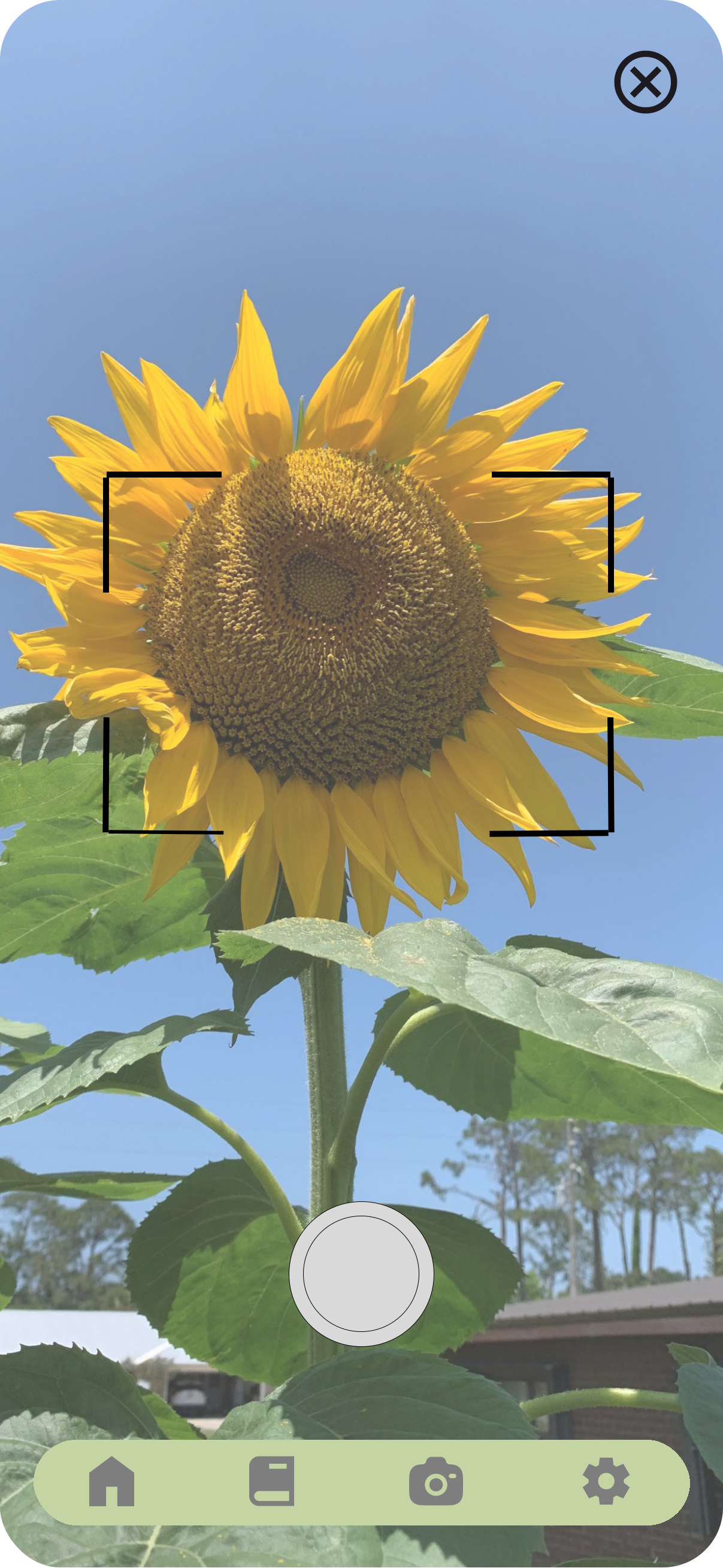
Spot something on the list, tap the camera
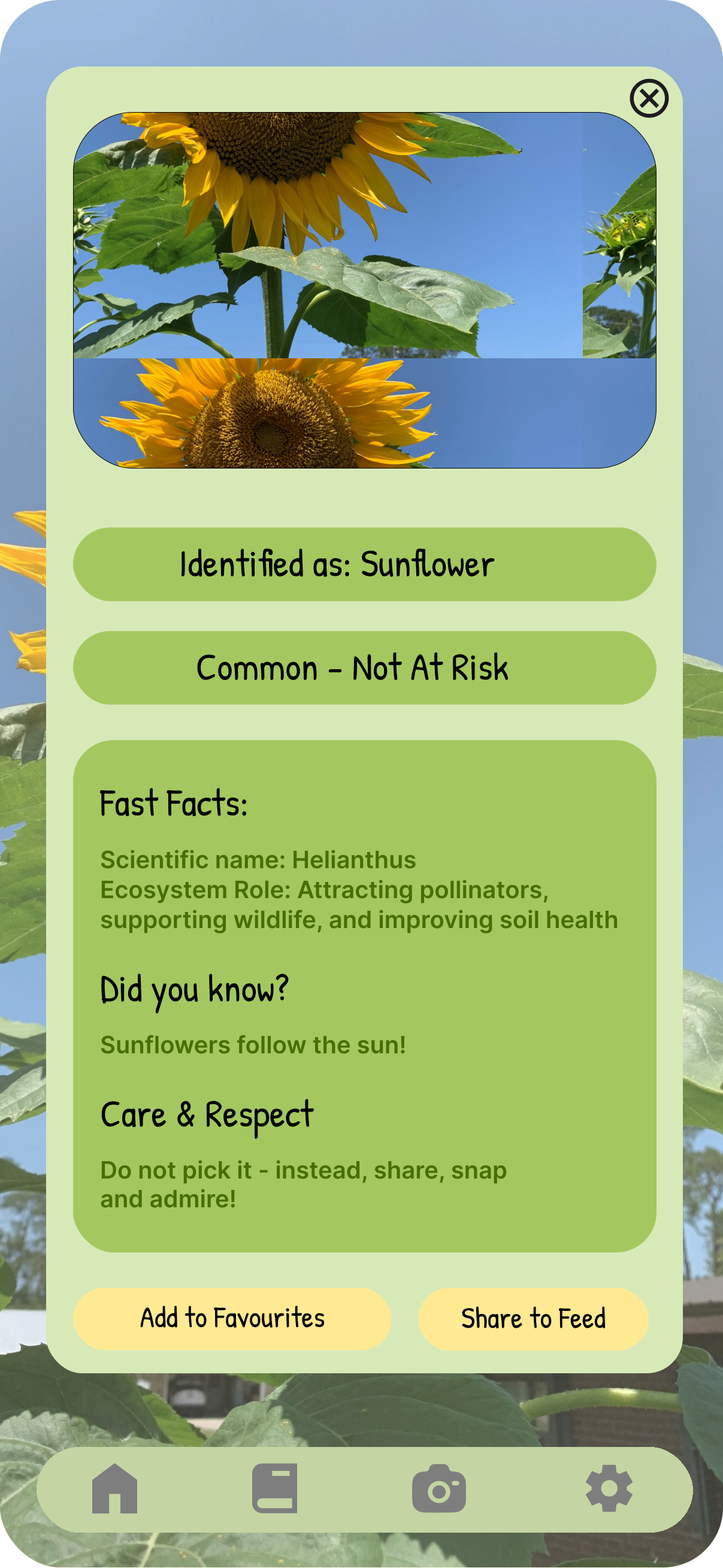
Recognition confirms the find, then the learning card opens
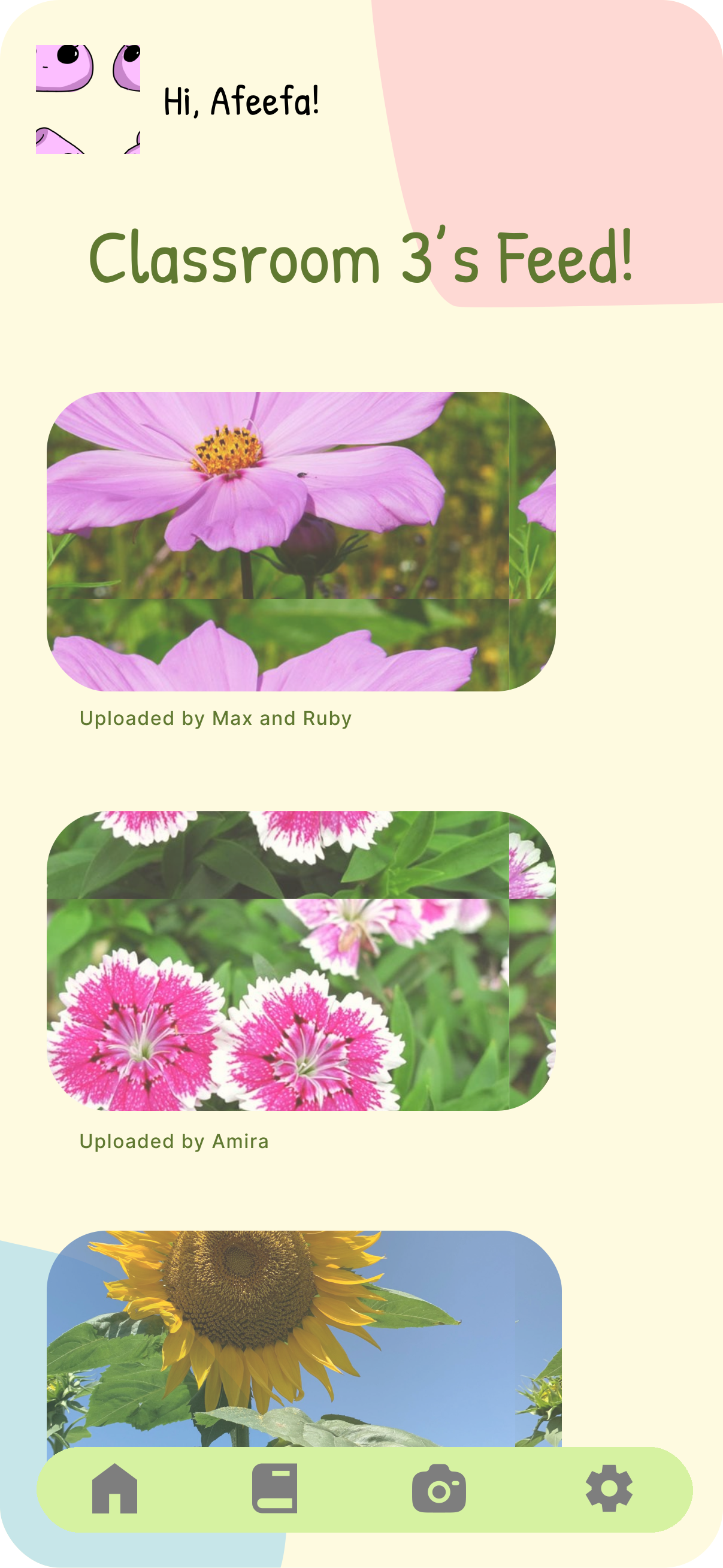
Share to the classroom feed, scoped to one class only
06.Design Decisions
Designing for children changes what you're allowed to build
A mentor session halfway through forced us to treat safety as a design constraint rather than a feature we'd add later.
We cut GPS tracking entirely
A mentor pushed us on safety and it landed hard. An outdoor app for eight-year-olds that logs where they are is a liability, not a feature, no matter how useful the map would be. We cut location data completely: never stored, never shared. The cost is real. We gave up geofenced quest zones, any way to verify a child actually went outside, and the teacher's ability to see where their class is.
Image recognition replaced the thing GPS would have done
Without location we still needed the app to know a find was real, so recognition checks the photo against the checklist. A match gets a point, anything else gets rejected. It started as verification and ended up being the fun part, because kids get an instant answer on whether they found the right thing. It also filters unsafe uploads before they reach a class feed.
And a teacher behind the algorithm
Recognition will miss things. Teachers review submissions, so if the AI doesn't catch it, a person does.
Icon-first navigation, with a voice recorder
Linh can't read the interface fast enough and Ayaan shouldn't have to. The tab bar is icons only, prompts lean on photos, and the Explorer Kit includes a voice memo so a kid can record what they found instead of typing it. The learning cards are still text-heavy, which is the honest gap: we solved navigation for non-readers and didn't fully solve content.
The feed is a classroom, not the internet
Sharing is scoped to one class, so it's the same twenty-five kids who were already on the walk. Public sharing was never on the table once we'd had the safety conversation. It means the social layer only works if a teacher sets it up, which makes the product useless outside school.
07.Reflection and Next Steps
What I'd take further
Eight hours is enough to make a good decision and not enough to find out if it was right.
The safety conversation improved the product. That surprised me. Cutting GPS felt like losing a feature and it forced us toward image recognition, which turned out to be more fun than a map would have been. Constraints did the design work.
We designed for three kids and tested with none. Zara, Linh and Ayaan came out of research, not interviews. I stand behind the reasoning, but the next version starts with watching actual eight-year-olds try to use it, because children break interfaces in ways adults never predict.
The open question is whether teachers would run it. Every good thing about GreenBuddies depends on a teacher setting a quest, taking a class outside, and reviewing photos afterward. Ms. Rivera was our fourth persona and the one we designed for least.